Encode text into a URL-safe format or decode percent-encoded strings back
into readable text instantly. This tool helps you safely work with query
parameters, URLs, and API strings — all processed locally in your browser.
What is URL encoding?
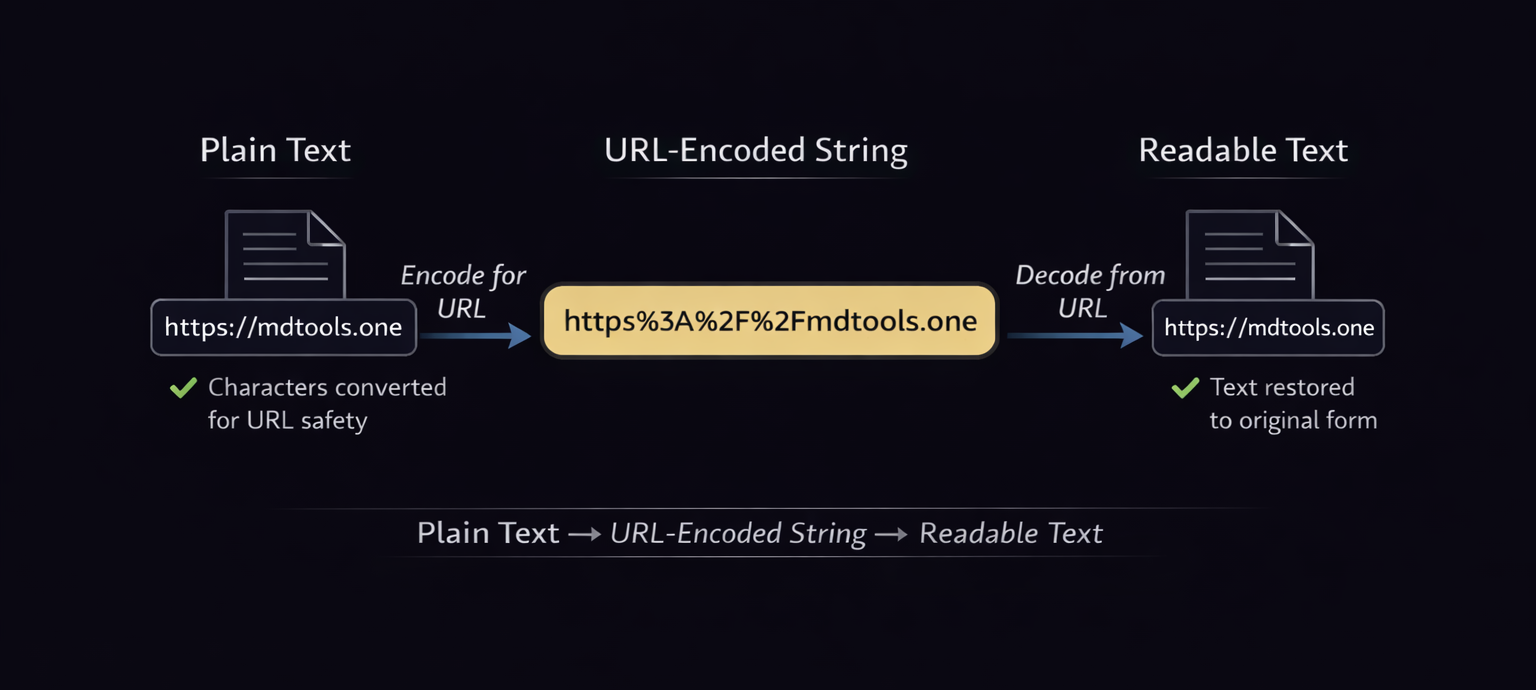
URL encoding (also known as percent-encoding) converts special or unsafe
characters into a format that can be safely transmitted in URLs. Each
encoded character is replaced with a percent sign (%)
followed by two hexadecimal digits.
How does URL encoding & decoding work?
During encoding, characters that are not URL-safe (such as spaces,
symbols, or non-ASCII characters) are converted into percent-encoded
values. Decoding reverses this process, translating encoded values back
into their original readable form.
Plain text → URL-encoded string → decoded back to readable text
How to use this URL Encode & Decode tool
This tool helps you convert text into URL-safe encoding or decode
URL-encoded strings back into readable text, making it easier to work with
URLs, APIs, and query parameters.
Paste text, choose Encode or Decode, and copy the result instantly
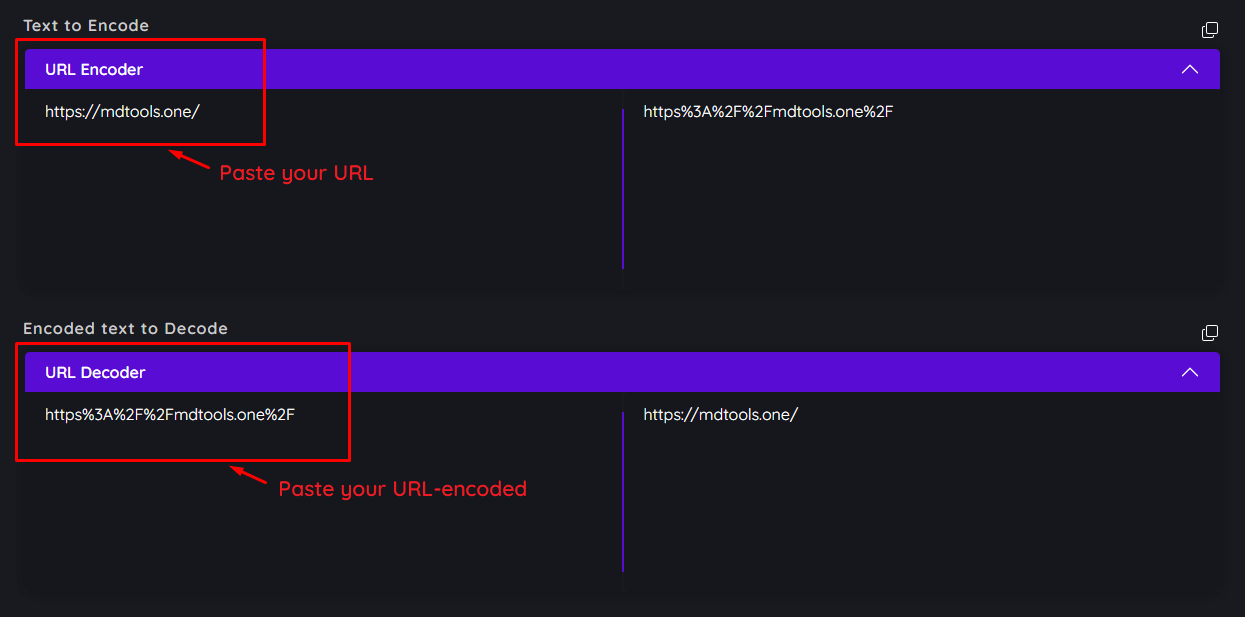
Paste your text or URL-encoded string into the input field.
Choose either Encode (plain → URL-safe) or
Decode (URL-encoded → plain).
The processed result appears immediately.
Copy the output for use in URLs, APIs, or debugging.
🔒 Privacy: All encoding and decoding happens locally in
your browser. No data is uploaded or stored.
Why use URL Encode & Decode?
URL encoding prevents broken links and malformed requests by ensuring
special characters are safely transmitted. Decoding helps you inspect,
debug, and understand encoded URLs and query parameters.
Safe URL formatting: Avoid errors caused by spaces and
special characters.
Instant results: Encode or decode text in real time.
100% browser-based: No uploads or server processing.
Tips for best results
Use these tips for accurate URL encoding and decoding:
Use UTF-8 to support international characters and emojis.
Encode only URL components (like query values), not the entire URL when
possible.
Decode encoded URLs first when debugging API requests or redirects.
Remember: URL encoding is not encryption — data remains readable after
decoding.
Frequently Asked Questions
What does this URL Encode & Decode tool do?
It converts plain text into a URL-safe, percent-encoded format or
decodes encoded strings back into readable text.
When should I use URL encoding?
Use URL encoding when your text contains spaces, symbols, or
non-ASCII characters that must be safely transmitted in URLs or APIs.
Is my data safe?
Yes. All processing happens locally in your browser, and no data is
sent to external servers.
Can I encode non-English characters?
Absolutely. Using UTF-8 ensures proper handling of international text
and emojis.